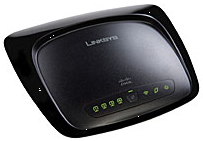
Showing posts with label network. Show all posts

Friday, December 04, 2009

Google Public DNS – Free Global DNS Resolution Service

Google Public DNS is a free, global Domain Name System (DNS) resolution service, that you can use as an alternative to your current DNS provider. It is similar to what OpenDNS Basic is offering.


“Google Public DNS is a recursive DNS resolver, similar to other publicly available services. We think it provides many benefits, including improved security, fast performance, and more valid results.” [Google Public DNS]


To use Google Public DNS, just change your DNS server addresses to:

8.8.8.8 and 8.8.4.4


See the Using Google Public DNS page for detailed configuration instructions.


I already setup my router to use the Google Public DNS server addresses, and I’m having good results so far.


For more info, visit the Google Public DNS site >>


Technorati Tags: , , , ,

Tuesday, March 31, 2009

Get the Latest D-Link Firmware and Documents via FTP

d-link logo

If you have some D-Link products, such as routers or wireless adapters, you can get the latest (and even beta) firmware from this FTP:

ftp://ftp.dlink.ru/pub/

The best source for firmware would probably still be the D-Link site of your area, but sometimes these sites are not very up-to-date with regards to firmware. My current favorite wireless router is the D-Link DIR-300 (has good stock firmware features, has a replaceable antenna, and small enough to place anywhere). You can get the latest stable, old, and beta firmware versions here:

ftp://ftp.dlink.ru/pub/Router/DIR-300/Firmware/

This is a great source if you are currently having problems with your D-Link device. Sometimes, a simple firmware update could solve these problems.

IceRocket : , ,

Thursday, February 05, 2009

DIY NAS: Intel Atom and VIA C7 Platforms Tested

atom and c7 logos

SmallNetBuilder built two DIY NAS systems using an MSI Wind PC and a VIA ARTiGO A2000 Barebone Storage Server. [article link]

MSI Wind PC Specs:

  • Intel Atom 1.6 GHz processor
  • MSI custom w/ Intel 945GC North Bridge, ICH7 South Bridge motherboard
  • pqi 1 GB DDR2 533 SO-DIMM RAM
  • Hitachi Deskstar HDS721680PLA380, 80GB 7200RPM 3.0 Gb/s SATA 8MB HDD
  • Realtek 8111C (on board) Ethernet

VIA ARTiGO A2000 Specs:

  • VIA 1.5GHz C7-D processor
  • VIA custom w/ VIA VX800 Unified Digital Media IGP chipset motherboard
  • Transcend 1 GB DDR2 667 SO-DIMM
  • Hitachi Deskstar HDS721680PLA380, 80GB 7200RPM 3.0 Gb/s SATA 8MB HDD
  • VIA VT6130 (on board) Ethernet

Both had the same operating system: Ubuntu Server 8.10 Operating system, + mdadm + Webmin, on 2 GB USB Flash drive.

The two DIY NAS setups were compared to the following:

  • NETGEAR ReadyNAS Pro (Intel E2160 Dual-Core)
  • Thecus M3800 Stream Box (AMD LX800 Geode)
  • Cisco/Linksys Media Hub (Marvell 88F5182 "Orion" Soc)

(A How To guide for setting up a DIY NAS using Ubuntu Server can be found at SmallNetBuilder: Build Your Own Atom-based NAS - Part 2)

On Performance:

"I don't think I'm going to declare a clear winner here between the VIA C7 and Intel Atom. It looks that they are pretty evenly matched for performance and generally in the same class as the Geode LX800." [SmallNetBuilder]

"So if you're looking for a low-cost way to build a dual-drive NAS, you can choose a motherboard using an Intel Atom, VIA C7 or AMD Geode CPU and be pretty certain of getting better than 2X the performance you can get from any (current) off-the-shelf NAS." [SmallNetBuilder]

On Ease and Flexibility of Setup:

"... the MSI Wind PC is clearly a more cost effective way to build a two-drive NAS capable of producing write and read speeds in the 30 - 40 MB/s range than the ARTiGO A2000. As I write this, you can pick one up for around $140, while the going rate for the A2000 is $299. I think that for the extra $150 or so, I can live with having to kludge in the second drive." [SmallNetBuilder]

SmallNetBuilder's Rule of Thumb for Classifying NASes:

  • Marvell Orion based NASes will generally produce throughput in the mid-to-high teen MB/s
  • NASes using the VIA C7, Intel Atom or AMD Geode will provide read/write performance in the 30 - 40 MB/s range
  • When you move up to NASes based on Intel Celeron or Dual-Core or Freescale MPC854XE, you can see speeds of at least 50 MB/s and more like 70 MB/s.

If you are looking to put a NAS on your network, a cost-effective way would be to use a system with the Intel Atom, VIA C7, or AMD Geode. You could go the barebone route, such as what SmallNetworkBuilder did, or build it from scratch, letting you choose the components individually, and have the personlized look of your future DIY NAS.

IceRocket : , ,

Saturday, December 20, 2008

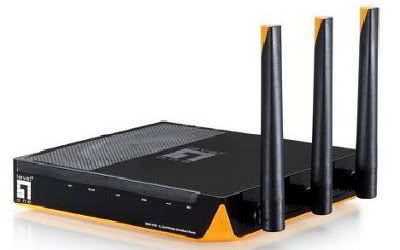
Level One N_One WBR-6000 11n Wireless Router Reviewed

level one wbr-6000

The Level One N_One WBR-6000 (about US$50) is a wireless router that has the following features:

  • 802.11b/g, 802.11n (draft)
  • WEP (64/128bit) / WPA (TKIP, AES) / WPA2 (TKIP, AES) / WPS: PIN and PBC support
  • 3 x 2dBi dipole antennas (fixed)
  • 17dBm ~ 20dBm Transmit power
  • 1 x 10/100 Mbps WAN
  • 4 x 10/100 Mbps LAN
  • Dimensions: 154(L) x 143(W) x 30(H) mm

X-bit Labs tested the WBR-6000, and compared it with a similarly priced wireless router from Edimax (BR6504N):

"The LevelOne WBR-6000 router is a good product in many respects, but its main advantage - the support for the new-generation wireless standard - is questionable. Perhaps this will be corrected in firmware updates, but right now this router is good at everything except for wireless networking." [ X-bit Labs | Level One N_One 11n Wireless Broadband Router Review ]

For wired connection, the WBR-6000 was much better than the Edimax BR6504N. For wireless, the Edimax was the superior product, with the WBR-6000 being rather unstable with its 802.11n connection.

IceRocket : , ,

Tuesday, December 16, 2008

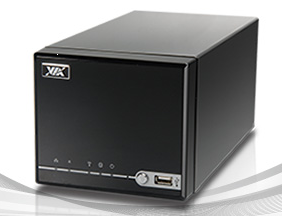
VIA Artigo A2000 - Storage-Oriented Compact Barebone PC

server img

The VIA Artigo A2000 (US$299) is a storage-oriented compact barebone PC which features low power consumption, low noise, and compact form factor.

Features:

  • 1.5GHz VIA C7-D processor
  • VIA VX800 Unified Digital Media IGP chipset
  • 1 x DDR2 SO-DIMM Socket (up to 2 GB)
  • 2 x 3.5" SATA-II HDD support
  • 1 x CompactFlash socket (supports DMA mode) bootable SSD
  • 3 x USB 2.0 ports (1 on the front panel)
  • 1 x Gigabit RJ-45 LAN port with LED
  • Built-in high definition audio controller
  • 1 x MIC/Line-in + 1 x Line-out audio ports
  • 1 x VGA port
  • 8 cm low-noise ball-bearing fan
  • 100~240 V AC/DC adapter
  • dimensions: 135 x 115 x 259 mm

The Artigo A2000 was tested to work with the following operating systems:

  • Windows XP
  • Windows Vista
  • Ubuntu 8.04
  • SUSE Linux Enterprise Desktop 10 with Service Pack 2

Just install some RAM, 1 or 2 SATA HDDs, connect it to your home network, and you will already have a compact, power-efficient home media storage mini-server.

IceRocket : , , , ,

Tuesday, September 23, 2008

TP-Link TL-WR941ND Wireless n Router Reviewed

tp link router

The TP-Link TL-WR941ND (US$60) is a wireless router that features the following:

  • 802.11n (Draft 2.0)
  • 20dBm maximum wireless transmit power
  • 3 detachable Omni directional antennas

PC Magazine gave it a 2.5 out of 5 ("Fair") rating:

"... in the sub-$100 space, the TP-Link loses out to both the $68 Linksys Ultra RangePlus Wireless-N Router (WRT160N) and the $60 Linksys RangePlus Wireless Router (WRT110) . At the same optimal 20-foot test distance, the WRT 160N and the WRT 110 clocked 116 Mbps and 110 Mbps, respectively. The TP Link's 70 Mbps looks somewhat anemic by comparison. ... If you don't need much handholding, you might be tempted by the price, but the two low-cost entries from Linksys are easier to use and deliver far better throughput . " [PCMag | TP-Link TL-WR941ND]

As PC Magazine suggests, the WRT160N would be a better buy than the WR941ND, especially when you compare their actual throughputs. However, the antennas of the WR941ND can be upgraded, so there still is room for improvement for its throughput. Antennas aren't actually cheap, and you need to upgrade all three, so you should also keep that in mind.

Technorati : , , , , ,

Thursday, June 12, 2008

Linksys WRT160N Ultra RangePlus Wireless-N Router Reviewed

wrt160n

Linksys WRT160N Ultra RangePlus Wireless-N router (US$117) features:

  • 802.11n (draft-n)
  • Broadcom chipset
  • WPA security
  • Parental Controls
  • SPI

PC Magazine reviewed the WRT160N, and gave it a 3 out of 5 ("Good") rating:

"The Linksys Ultra RangePlus Wireless-N Router WRT160N is a good choice if you're looking for the cheapest wireless-n router you can find. It's a little slow, even for a 2.4-GHz-only router, but it's still significantly faster than wireless-g and slightly faster than the ultra-cheap WRT110. Linksys LELA 3.0 will be a nice addition, once Linksys gets it working right. In any case, the router's management interface offers enough options to make most home users happy-once they get past the installation bugs. There are certainly better, easier-to-use routers out there, but few you can find for under $100 on the street." [PCMag.com | Linksys WRT160N]

Technorati : , , , , , ,

Tuesday, June 10, 2008

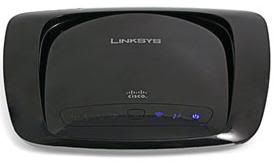
Linksys WRT110 RangePlus Wireless Router Reviewed

wrt110The Linksys RangePlus Wireless Router WRT110 (US$70) is a router that features:

  • Broadcom chipset
  • 802.11n (not draft n)
  • Parental Controls
  • SPI
  • WPA Security

PC Magazine gives the WRT110 2.5 out 5 ("Fair"):

"I suppose if money is extremely tight and you're looking just for wireless home networking with a minimal feature set, the WRT110 is one way to go. Even then, for an additional cost that's no more than the price of a couple of movie tickets, you can buy the Linksys Ultra RangePlus Wireless-N Router WRT160N, a true draft-n router that has better throughput, the same backward compatibility with wireless-g as the WRT110, and the LELA network management kit (which, granted, still needs some work). While it's got decent range, the WRT110 just doesn't have much else to recommend it." [pcmag.com | WRT110]

As PC Magazine recommends, the WRT160N would probably be a better buy. It would be a good idea to get a draft-n router (which the WRT110 is not), if you are looking in to taking the Wireless-N plunge. As for me, I'd still opt for wireless routers and/or clients that feature external antennas. Sometimes, upgrading to better antennas can cure signal problems.

Technorati : , , , , ,

Saturday, April 19, 2008

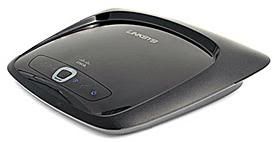
New Linksys Entry Level Wireless Routers: WRT54G2 and WRT110

wrt54g2The Linksys WRT54G and WRT100 routers already have their corresponding replacements: the WRT54G2 and WRT110.

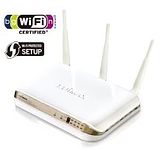
Both will sport the new black stingray look with internal antennas. I'm not sure if you can let it stand on its side, though.

"I asked Linksys what the plans are for the WRT54G and WRT100 and found that they will be retired once current stock runs out. I also asked whether a similar spin will be done for the WRT54GS "SpeedBooster" router and was told that it will also be phased out and replaced with the "RangePlus" line, i.e. WRT100, WRT110 and its descendants." [SmallNetBuilder | Inside Story: Linksys WRT54G2 and WRT110]

SmallNetBuilder also asked Linksys about the fate of the favorite WRT54GL wireless router, and the answer was it *will* continue on (for the time being at least).

It would be exciting to learn how these new sexy wireless routers would compare with the models they are replacing. I guess everybody will be waiting for confirmation that these new "eye candy" routers are also flash friendly. In any case, if you need a "flashable" wireless router *now*, and can't seem to find that elusive WRT54GL, I would highly recommend the DIR-300 from D-Link.

Technorati : , , , ,

Thursday, March 27, 2008

Get Help on Setting Up Your Router

pf img

Do you need help in properly setting up your router? You can go to PortForward.com for router or firewall setup guides and reviews.

"... is proud to offer help setting up port forwarding on your router or firewall. Many Internet users are not aware of how to configure their router or firewall in order to use applications like Peer-to-Peer file sharing (PtoP), Internet Games, Web serving, FTP serving, WebCams, IRC DDC, and Instant Messaging such as AIM, ICQ, Yahoo and MS Messenger." [PortForward.com]

You can get lots of info and walkthroughs about setting up port forwarding, depending on the application you want to use.

Technorati : , , , , , ,

Tuesday, February 05, 2008

Edimax nMax Wireless 802.11n Broadband Router Reviewed

X-bit Labs reviews the Edimax nMax Wireless 802.11n Broadband Router [BR-6504n] (~US$80). The BR-6504n features the Ralink chipset, IEEE 802.11n (draft) / 802.11b/g compatibility, WEP / WPA / WPA2 encoding, 3 external dipole antennas (3dBi), 1 WAN (10/100 BaseT), and 4 LAN (4 x 10/100 BaseT).

"... It is the speed characteristics where the BR-6504n excels, matching the performance of more advanced devices. ... So, Edimax BR-6504n may be a great choice for people who have been previously planning to buy an 802.11g router or who just want to have an inexpensive Draft N device with excellent functionality." [X-bit Labs]

It looks like that the Edimax BR-6504n is a good buy, with its good performance, stylish design, and good assembly.

Thursday, January 31, 2008

Protect Your Wireless Network

ExtremeTech shows us how to protect our home wireless network.

"If you live in a highly populated area, enabling the free security options that come with your wireless equipment is an absolute must. You don't want somebody leeching your Internet connection to download gigabytes of pirated music. Even if you live in a rural area, protect your network. It's free and it's easy." [ExtremeTech]

The article helps us how to update our router and client card firmware, change passwords and SSID settings, enable encryption, and protect network shares.

Technorati Tags: , , , ,