Showing posts with label Drives. Show all posts

Thursday, February 19, 2009

Best Bang Per Buck Core i7 System Build

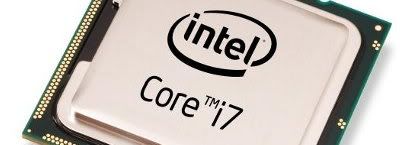
intel core i7

ExtremeTech builds a 'Bang for the Buck' based on the Intel Core i7 processor. The result was a combination of peripherals that give you the best value for your money.

Specifications:

  • Antec 300 case
  • Antec Earthwatts 650 PSU
  • ASUS P6T motherboard
  • Intel Core i7 920 processor
  • 6GB (2x3 DIMMS) OCZ Gold DDR3 Triple-channel 1600MHz memory
  • Western Digital WD1001FALS Black Ed. 1TB HDD
  • Lite-On DH401S BD optical drive
  • AMD ATI Radeon HD 4870 512MB graphics card
  • Creative SoundBlaster Titanium sound card
  • Logitech Wave keyboard
  • Logitech G5 mouse
  • Dell S2409W Widescreen 1920x1080 LCD Monitor
  • Creative GigaWorks T40 speakers
  • Windows Vista Home Premium 64-bit operating system

"This Bang for the Buck turned out more expensive than past efforts, but it's also more forward-looking. ... Even if you're only upgrading, we can't recommend higher each part in this system as it is, in our estimation, the best you can get for your money. Choose wisely, but consider this a guide. " [ExtremeTech | Build a Bang for the Buck PC]

The total bill for this build was US$2040. Take note that the setup is not a 'budget value system', but a best value and performance for your money build. If you prefer a different component, such as an AMD processor (and appropriate mobo of course) or Nvidia graphics card, you can just change the specs to your liking, using the above components as a guide.

IceRocket : ,

Thursday, January 29, 2009

Six New Solid State Drives Tested

ssd

Tom's Hardware recently tested six new flash-based solid state drives (SSDs) from Chaintech, Memory Corp, Silicon Power, Soliware, and Super Talent.

SSDs Tested:

  • Chaintech Apogee SSD, 64 GB
  • Memory Corp F4 MLC SSD, 32 GB
  • Memory Corp F4 SLC SSD, 32 GB
  • Silicon Power 64 GB SLC, 64 GB
  • Soliware SSD S100, 64 GB
  • Super Talent SATA 2.5" SSD, MasterDrive OX, 64 GB

"The Soliware SSD was the only drive to show strong write performance and great I/O performance as well. The results still aren't good enough to beat the professional SSDs by Memoright, Mtron, and Intel's X25-M. However, Soliware's built-in 128 MB cache memory helped to boost write performance to a level that is only matched by Memoright and Mtron. ... In the end, none of the new drives was really impressive. They all have significant weaknesses: usually either low I/O performance, poor write throughput or inacceptable power consumption. The best consumer drive still is Intel's X25-M flash SSD, and if you're looking for maximum efficiency, you still have to go for the Samsung or OCZ's SATA II performance series. Some of the drives here may be alternatives for specific applications, but at this point we still recommend being careful with low-cost drives, as they may not live up to expectations." [Tom's Hardware | Six New SSDs: Can Intel Be Dethroned?]

From the tests made by Tom's Hardware, the Soliware SSD S100 64 GB was the best of the six. The Intel X25-M flash SSD is still 'king of the heap', and if you're looking for efficiency in an SSD, the Samsung or OCZ's SATA II performance series are the ones to look for.

IceRocket : , ,

Tuesday, August 19, 2008

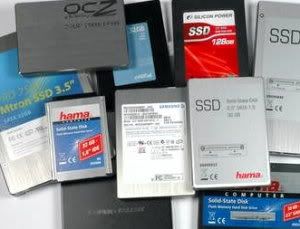
Solid State Drives Compared

ssd img

Tom's Hardware rounds up 14 Solid State Drives (SSDs). The drives tested were:

  • 2.5" Crucial 32 GB
  • 3.5" Hama High-Speed 64 GB
  • 1.8" Hama 32 GB
  • 2.5" Hama High-Speed 32 GB SATA
  • 2.5" Hama 32 GB SATA
  • 2.5" MemoRight MR25.2-032S 32 GB SATA
  • 2.5" MemoRight MR25.2-064S 64 GB SATA
  • 3.5" Mtron Pro 7500 32 GB SATA
  • 2.5" OCZ 64 GB SATAII
  • 2.5" Samsung 64 GB SATA 2
  • 2.5" Silicon Power 128 GB SATA
  • 2.5" Super Talent Masterdrive MX 60 GB SATA

"... the Samsung 64 GB SSD SATA-2, which is also available from OCZ as the 64 GB SATAII SSD. For those who want it all-high performance and high efficiency-this product is it. No other SATA-based flash SSD shows such low power requirements in idle and when active, and no other flash SSD provides balanced performance across all benchmarks. We hope that more flash SSD products will follow in this category, because only these drives are worth the cost. Samsung's 64 GB SSD SATA-2 and the OCZ 64 GB SATAII SSD receive the Best of Tom's award in the hard drive." [Tom's Hardware | 14-Way SSD Hard Drive Roundup : Flash SSDs Compared]

While the Samsung 64 GB SSD SATA-2 (or OCZ 64 GB SATAII SSD) were the highly recommended drives, those lusting for high performance in an SSD should consider the Single-Level Cell (SLC) drives from MemoRight and Mtron.

Technorati : , , , , , ,

Tuesday, July 29, 2008

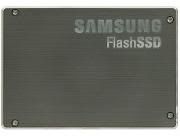
Samsung 64GB SATA-2 Solid State Drive Reviewed

ssd img

The Samsung 64GB SATA-2 FlashSSD (US$790) is a Solid State Drive (SSD) that features:

  • 64GB capacity
  • NAND Flash
  • 100MB/sec Rated Sequential Read
  • 80M/sec Rated Sequential Write
  • 1W Operational Power requirement

"Samsung has clearly tried to optimize its new SSD drive for better streaming performance, both read and write. The results show up in the benchmarks. This is one of the most balanced performers we've seen in the still far-from-mature SSD market. ... The new Samsung FlashSSD catches up with the competition in both price and performance-but it's still not mainstream yet. " [ExtremeTech | Samsung 64GB SATA-2 SSD Drives Review]

Maybe when SSDs are already priced more "competitively" against the HDDs, it will gain more popularity among manufacturers, resulting to more users opting for an SSD. Until then, I still prefer hard drives, mainly due to their "more bytes per buck" prices.

Technorati : , , , , , , , , ,

Saturday, July 12, 2008

1TB Hard Disk Drives Tested

Looking to put a TByte hard drive in your system? X-bit Labs tested 6 TByte HDDs from Hitachi, Samsung, Seagate, and Western Digital. The drives tested were:

  • Hitachi Deskstar 7K1000
  • Hitachi Ultrastar A7K1000
  • Samsung SpinPoint F1
  • Seagate Barracuda 7100.11
  • Seagate Barracuda ES.2
  • Western Digital Caviar GP

"So, these are the highs and lows of the tested drives but the most important point about them is the price factor. The price of a 1-terabyte drive has lowered by a half since the moment they hit the market - all thanks to the competition. With four manufacturers elbowing each other aside in this market sector, we are up to more price cuts!" [X-bit labs | 1TB Hard Disk Drives Roundup]

Any of the above-mentioned HDDs will do, especially if you just need one for honest-to-goodness large capacity storage.

Technorati : , , ,

Tuesday, May 27, 2008

Build an Energy Efficient PC

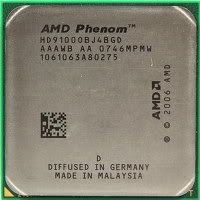
phenom 9100eTom's Hardware has a great guide on energy efficiency, discussing about ways to save power at different levels: technology, component, product, and user.

"Selecting the right components is important in building an energy efficient machine. If you go for an old Pentium D instead of the current Core 2 Duo processor, you will get two processing cores in both cases and even higher clock speeds with the Pentium D. The old Pentium generation is based on the NetBurst architecture, though, which is considerably slower than the Core 2 family (including the Pentium Dual Core, which is a stripped down version). Despite its deficient performance, the Pentium D will still consume much more power than a Core 2 processor under all possible conditions. Clearly, selecting the right technology is very important." [Tom's Hardware | Tom's Energy Efficiency Guide]

The guide also suggests some component choices for your next PC build.

AMD System:

  • Gigabyte GA-MA78GM with AMD780G Chipset motherboard
  • AMD Phenom X4 9100e processor

Intel System:

  • ECS G33T with Intel G33 Chipset motherboard
  • Intel Core 2 Duo E8400

Other components:

  • Samsung Spinpoint F1 HD103UJ (1 TB) hard drive
  • Western Digital WD10EACS hard drive
  • Radeon HD 3870 graphics card
  • GeForce 9600 GT graphics card
  • Silverstone ST50EF Plus (500 W) power supply unit

It's interesting to see that Tom's Hardware chose an AMD780G Chipset motherboard for the AMD system. I'm sure that Nvidia fans may opt for a motherboard with the NVIDIA GeForce 8200 chipset, but unless we have the concrete numbers as to which chipset is more efficient, we may just have to go with subjectivity on this matter.

Other than that, I'm sure that the components mentioned in the article would be a good guideline for your next energy efficient PC build.

Technorati : , , , , ,

Saturday, April 26, 2008

Solid State, DDR i-RAM, and Hard Disk Drives Compared

ssdSolid State Drives (SSDs) are data storage devices much like Hard Disk Drives (HDDs), but uses solid-state flash memory to store data. The Gigabyte i-RAM is sort of like SSD, but instead uses RAM; more specifically, DDR RAM.

X-bit Labs tested the following:

  • 32GB Samsung (MCAQE32G5APP-0XA) SSD with UDMA66 interface
  • 64GB Samsung (MCAQE32G5APP-0XA) SSD with SATA interface
  • Gigabyte i-RAM with SATA interface
  • 200GB 2.5" Hitachi 7K200 HDD with SATA interface
  • 1000GB 3.5" Samsung SpinPoint F1 HDD with SATA interface
  • 300GB 3.5" Fujitsu MBA3300RC HDD with SCSI interface

"In real-life applications SSDs are going to be faster than 2.5" HDDs with a spindle rotation speed of 5400rpm unless the manufacturer installs very slow chips of flash memory into them. ... SSDs are also considerably faster than 3.5" HDDs in terms of random reading but slower at sequential reading. ... So, hard disk drives still remain the best choice in terms of price, capacity and speed combined when it comes to the disk subsystem of a workstation, file server and write operations-oriented server." [X-bit Labs | SSD, i-RAM and Traditional Hard Disk Drives]

The i-RAM does perform well, but its limited capacity (4GB), and its temporary retention of data (data is lost when its battery backup gets depleted) is not yet a legitimate contender against the hard disk drive.

As it turns out, SSDs are fast drives, and require less power than conventional hard drives. And users will definitely appreciate the silent operation of SSDs. The somewhat high price of SSDs is probably the real reason why it is not (yet) the mainstream storage device.

Technorati : , , , , , , , ,

Monday, August 27, 2007

Upgrade Your Socket 939 Box

amd cpu imgTom's Hardware shows us some options on deciding how to upgrade a two year old AMD Athlon 64 Socket 939 system.

"Spending as little as $100 on the dual core processor will make the reference system respond noticeably more quickly, and it provides up to twice the calculation power for applications that know how to exploit the potential of two processing cores. Power consumption doesn't change much when stepping from a 130 nm single core to a 90 nm dual core, so you can even keep your existing cooler if you want to. If you intend to keep using your Socket 939 system, now is the time to get a dual core processor for it." [Tom's Hardware]

Upgrading the processor, hard drive, and graphics card would usually bring new life to a 2+ year old (or older) PC box. If you currently have 1GB of memory in your system, bumping it to 2GB will make sense if you frequently have a number of apps open at the same time.

Technorati : , , , , , , ,

Monday, June 12, 2006

4 Dual-Layer DVD Burners Compared

ExtremeTech takes a close look at four Dual-Layer DVD Burners from HP, Lite-On, and Plextor. Drives compare are the HP dvd840i, Lite-On SHM-165H6S, Plextor PX-760A, and Plextor PX-755SA.

If you're looking for a great value but don't need the latest and greatest, you can't go wrong with the Lite-On SHM-165H6S. It gets the job done without burning a hole in your pocket. [ExtremeTech]

Based on my personal experience, optical drives (readers and writers) do not really last as long as you wanted to. This is the main reason why I usually recommend getting the less expensive but nonetheless capable optical drive available.

technorati tags:, ,

Wednesday, April 19, 2006

2 External 400GB HDDs Tested

maxtor picX-bit Labs reviews two external hard drives: the Maxtor One Touch III FireWire 400/USB 2.0, and the Seagate Pushbutton Backup External Hard Drive.

Maxtor One Touch III (US$470) features 500 GB storage, 16MB buffer, 7200rpm rotational speed, Firewire 400 & USB 2.0 interface. The Seagate Pushbutton Backup (US$380) features 400GB capacity, 8MB buffer, 7200rpm rotational speed, Firewire 1394a & USB 2.0 interface.


The Maxtor OneTouch III has been superior over the Seagate Pushbutton Backup External Hard Drive in this test session. Of course, we should make allowances for the different storage capacity of the tested devices since Seagate's announced 500GB external drive in this series was not available at the time of our writing this review.

It's going to be interesting to watch the changes in Seagate's external HDD manufacturing policy in the future, but so far the Maxtor OneTouch III seems to be the better buy between the two top models.

[X-bit Labs]


The most important factors in purchasing external (or internal) hard disk drives would be capacity, buffer size, and price. If given a choice, with all other factors equal, pick the one with a higher buffer.

Technorati : , , , , , , , , ,

Sunday, February 05, 2006

DDRdrive X1 - PCI Express Solid State Disk

TG Daily writes that Colorado-based DDRdrive will be shipping its DDRdrive X1, a PCI Express solid state disk device that uses external power to ensure the memory will not lose its stored data.

Instead of using a SATA (i-RAM) or an UltraATA/100 interface (HyperDrive III), the DDRdrive will be based on PCI Express. According to DDRdrive's Christopher George, this will allow the DDRdrive to achieve significantly higher bandwidth than its competitors. The board can carry four DDR 184 pin DIMMs for a total capacity of 8 GB. There will be also an upgradeable "high performance" DMA engine. [TG Daily]

I'm not sure who exactly would purchase this, since I still think that a hard drive will still be cheaper, considering the price per GigaByte ratio.

Technorati : , , ,